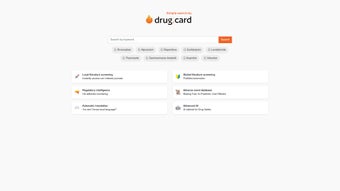

Download DrugCard Simple Search – AI‑Driven Pharmacovigilance Tool for Drug Safety
Why Download DrugCard Simple Search?
In the rapidly evolving world of drug development, the ability to detect safety signals early can mean the difference between a successful launch and a costly recall. Traditional pharmacovigilance workflows rely heavily on manual literature screening, repetitive database queries, and fragmented regulatory monitoring—processes that are not only time‑consuming but also prone to human error. DrugCard Simple Search was created to address these pain points by combining cutting‑edge artificial intelligence with a cloud‑native architecture that is both secure and scalable.
By automating the most tedious tasks—such as scanning PubMed for the latest articles, extracting adverse‑event data, and translating foreign‑language publications—this platform frees safety professionals to focus on high‑value analysis and strategic decision‑making. Moreover, the tool’s real‑time regulatory intelligence keeps teams instantly informed of guideline changes from agencies like the FDA, EMA, and PMDA, ensuring continuous compliance without the need for separate monitoring solutions. Whether you work in a small biotech startup or a multinational pharmaceutical corporation, the flexible pricing model and robust API ecosystem make DrugCard Simple Search an investment that pays for itself through reduced labor costs, accelerated signal detection, and ultimately, safer patients.
Download today and experience a paradigm shift in how you manage drug safety data.
Overview
DrugCard Simple Search is a web‑based, AI‑enhanced pharmacovigilance platform designed to streamline every step of the safety monitoring process. The system leverages natural‑language processing (NLP) and deep‑learning models to ingest vast amounts of scientific literature, case reports, and regulatory documents, then instantly surface the most relevant information for the user’s specific drug portfolio. Its dashboard provides a unified view of literature hits, adverse‑event trends, and regulatory updates, all presented with confidence scores that help users prioritize the most critical signals.
Security is baked into the architecture: end‑to‑end encryption, role‑based access controls, and detailed audit logs guarantee compliance with GDPR, HIPAA, and other regional data‑privacy mandates. The platform is also built for global collaboration; its multilingual translation engine supports over 20 languages, preserving medical terminology while making non‑English sources accessible to every team member. Because the solution is delivered as Software‑as‑a‑Service (SaaS), there is no need for on‑premise installations or complex IT maintenance.
Users simply log in through a modern web browser, configure their workspace, and begin leveraging AI‑driven insights within minutes. The combination of speed, accuracy, and security makes DrugCard Simple Search a vital tool for any organization that must meet stringent pharmacovigilance obligations while staying ahead of emerging safety concerns.
Key Features of DrugCard Simple Search
- AI‑Driven Literature Screening: Automatically scans local and global scientific publications, highlighting studies that mention target drugs, mechanisms, or safety concerns.
- Automated PubMed Searches: Real‑time queries with customizable filters, delivering the latest peer‑reviewed articles directly to your dashboard.
- Regulatory Intelligence Engine: Monitors FDA, EMA, PMDA, and other authorities for rule changes, guidance updates, and market‑entry requirements.
- Adverse Event Database (AED): AI‑curated repository of reported side effects, enabling rapid risk assessment and signal detection.
- Multilingual Translation: Built‑in tool that translates abstracts, safety reports, and regulatory documents into over 20 languages, preserving medical terminology.
- Secure Cloud Architecture: End‑to‑end encryption, role‑based access, and audit logs ensure compliance with GDPR, HIPAA, and other data‑privacy standards.
- Custom Alerts & Reporting: Set threshold‑based notifications and generate exportable PDF/Excel safety reports with one click.
- Collaboration Workspace: Real‑time task assignment, comment threads, and version‑controlled annotations keep multidisciplinary teams synchronized.
- API & Integration Suite: RESTful endpoints and standard CSV/XML import/export functions allow seamless connection with legacy PV systems such as Argus, Oracle Empirica, or custom databases.
- Scalable Subscription Model: Tiered plans—from free trial to enterprise—cater to varying user counts, data volumes, and feature needs.
Each feature has been engineered with the end‑user in mind. For example, the AI‑driven literature screening does not merely perform keyword matching; it evaluates contextual relevance, study design quality, and citation impact to assign a confidence score that reflects true scientific importance. The regulatory intelligence engine aggregates feeds from multiple agencies, normalizes disparate data formats, and presents changes in a concise, actionable format. Meanwhile, the multilingual translation component uses domain‑specific language models trained on medical corpora, ensuring that translations retain the nuance of clinical terminology—a critical factor when evaluating safety data from non‑English sources. Together, these capabilities provide a comprehensive safety monitoring ecosystem that reduces manual effort, improves data quality, and accelerates decision‑making across the drug development lifecycle.
Pros and Cons
Pros
- Reduces manual literature review time by up to 80 %.
- Real‑time regulatory updates keep teams compliant without extra research.
- AI models continuously learn from new data, improving relevance over time.
- User‑friendly UI minimizes onboarding costs.
- Scalable cloud infrastructure fits small labs and large multinational firms alike.
- Robust security features meet GDPR, HIPAA, and other data‑privacy regulations.
- Multilingual translation expands the searchable literature base globally.
Cons
- Initial configuration of custom filters may require guidance from support.
- Internet connectivity is mandatory for full functionality.
- Advanced AI features are locked behind higher‑tier subscriptions.
- Learning curve for users unfamiliar with AI‑driven relevance scores.
- Some legacy PV systems may need custom integration work.
Installation & Usage Guide
Because DrugCard Simple Search is delivered as a SaaS solution, there is no traditional software installation on a local workstation. The onboarding process is streamlined into three core phases: account creation, workspace configuration, and first‑run execution. Each phase is designed to be completed within minutes, allowing safety teams to start extracting value immediately.
Step 1 – Create Your Account
Navigate to the official DrugCard portal and click “Sign Up”. Provide a professional email address, organization name, and select the desired subscription tier (Free trial, Professional, Enterprise). After confirming the email, you’ll receive a secure link to set a password and enable two‑factor authentication (2FA). Enabling 2FA is strongly recommended because it adds an extra layer of protection for the sensitive pharmacovigilance data stored in the cloud.
Step 2 – Configure Your Workspace
Upon first login, the intuitive “Setup Wizard” guides you through:
- Defining drug portfolios (molecule names, IND numbers, therapeutic areas).
- Selecting literature sources (PubMed, Scopus, local journal repositories, pre‑print servers).
- Choosing regulatory regions of interest (US, EU, Asia‑Pacific, emerging markets).
- Establishing alert thresholds for adverse‑event frequency, new guideline releases, or AI confidence levels.
- Importing existing safety data via CSV or XML to ensure continuity with legacy systems.
The wizard also allows you to map user roles (analyst, manager, auditor) and assign appropriate permissions, ensuring that each team member accesses only the data required for their responsibilities.
Step 3 – Run Your First Search
With the workspace ready, click “New Search”. Enter a drug name, CAS number, or other identifier, set the time window (e.g., last 30 days), and choose an AI confidence level (Low, Medium, High). Within seconds, the platform returns a ranked list of articles, safety reports, and regulatory updates. Each entry includes a concise AI‑generated summary, confidence score, and direct links to the full source. Users can tag, annotate, or export findings for internal review.
Ongoing Tips for Power Users
• Save Searches: Frequently used queries can be saved as “Smart Searches” for one‑click access.
• Leverage Custom Alerts: Configure threshold‑based notifications for rapid response to emerging safety signals.
• Collaborate in Real Time: Assign tasks, comment on findings, and track review status within the same workspace.
• Refresh Filters Periodically: As your drug pipeline evolves, update source lists and alert parameters to stay aligned with current priorities.
• Utilize the Translation Engine: For non‑English literature, click the “Translate” icon to view a machine‑translated version while preserving original citations for audit purposes.
Frequently Asked Questions
Is DrugCard Simple Search compliant with GDPR and HIPAA?
Yes. The platform uses end‑to‑end encryption, role‑based access controls, and maintains detailed audit logs to meet both GDPR and HIPAA requirements. Data residency options are also available for organizations that need to store information within specific geographic boundaries.
Can I integrate DrugCard with my existing safety database?
Absolutely. DrugCard offers RESTful APIs and standard CSV/XML import/export functions, enabling seamless synchronization with legacy pharmacovigilance systems such as Argus, Oracle Empirica, or internal custom databases.
What browsers are supported?
The web app runs on the latest versions of Chrome, Firefox, Edge, and Safari. Mobile browsers on iOS and Android are also supported, though the full feature set is optimized for desktop environments.
How does the AI determine relevance of literature?
DrugCard’s AI models are trained on millions of peer‑reviewed articles and FDA safety reports. The algorithm evaluates keyword density, contextual relationships, study design, and citation impact to assign a confidence score that reflects relevance to the queried drug.
Is there a free trial available?
Yes. New users can access a 14‑day free trial with full feature access, allowing you to evaluate the AI search, translation, and regulatory monitoring capabilities before committing to a paid plan.
Conclusion – Start Your Free Trial Today
In a landscape where safety signals can emerge overnight, having an AI‑augmented pharmacovigilance partner is no longer optional—it’s strategic. DrugCard Simple Search consolidates literature discovery, adverse‑event analysis, and regulatory intelligence into one secure, cloud‑native platform. By dramatically cutting manual review time, providing real‑time alerts, and supporting multilingual collaboration, it empowers drug‑safety teams to act faster, stay compliant, and ultimately protect patients more effectively. Whether you’re a small biotech or a global pharmaceutical giant, the scalable pricing model and robust API ecosystem make DrugCard a practical addition to any safety workflow. Download the platform now, start your free trial, and experience how intelligent automation can transform your pharmacovigilance operations.



.png)



